Jekyll Blog: RSS Feed Subscription and Sidebar and Top Bar Modification
RSS configuration in Jekyll (Chirpy): custom /rss/ page, sidebar and topbar modification.
RSS (Really Simple Syndication) is a standard XML format that allows tracking website updates in RSS readers. New posts appear automatically in RSS readers after publication.
This solution is particularly useful for smaller, independent websites that do not use built-in subscription systems (e.g., newsletters or email notifications).
RSS allows readers (and content aggregators) to know when a new post appears on the blog.
RSS Configuration in Jekyll + Chirpy
Jekyll generates the RSS feed automatically (via the jekyll-feed plugin), and the Chirpy theme has this functionality enabled by default.
The blog RSS feed is available at:
👉 https://blog.marcinszewczyk.net/feed.xml
When opened, it displays XML code (this is normal). The feed is intended for RSS readers, not for direct reading in a browser.
If the blog is published via GitHub Pages, no additional configuration is required (there is no need to enable jekyll-feed in _config.yml).
Each new post:
- appears automatically in
feed.xml - can be read by RSS readers
- allows subscription without a newsletter
Adding an “Subscribe RSS” Icon
An RSS icon can be placed in different parts of the interface.
In my case, I placed it:
- in the blog sidebar, by adding HTML to
_includes/sidebar.html - in the top navigation bar (topbar), by adding HTML to
_includes/topbar.html
The _includes/sidebar.html and _includes/topbar.html files were copied from the gem using the standard method.
First, check the gem path:
1
bundle show jekyll-theme-chirpy
Then copy the files:
1
2
copy "E:\Ruby34-x64\lib\ruby\gems\3.4.0\gems\jekyll-theme-chirpy-7.4.1\_includes\sidebar.html" "_includes\sidebar.html"
copy "E:\Ruby34-x64\lib\ruby\gems\3.4.0\gems\jekyll-theme-chirpy-7.4.1\_includes\topbar.html" "_includes\topbar.html"
From that moment, the local versions override the gem versions and can be modified.
Sidebar Code (_includes/sidebar.html)
Added:
1
2
3
4
5
6
<a class="text-muted text-decoration-none"
  href="/rss/"
    aria-label="Subscribe RSS"
    title="Subscribe RSS">RSS
  <i class="fas fa-rss"></i>
</a>
Topbar Code (_includes/topbar.html)
Added:
1
2
3
4
5
6
7
8
<span>
  <a class="text-muted text-decoration-none"
     href="/rss/"
     aria-label="Subscribe RSS"
     title="Subscribe RSS">
    <i class="fas fa-rss"></i> Subscribe RSS
  </a>
</span>
This fragment was inserted in two places:
- after the condition:
1
{% if paths.size == 0 or page.layout == 'home' %}
- and after the condition:
1
{% if forloop.first %}
“Subscribe RSS” Page
The links added to _includes/sidebar.html and _includes/topbar.html do not point directly to the raw feed (available by default at https://en.blog.marcinszewczyk.net/feed.xml), but to a page _pages/rss.md.
This page was created by placing rss.md in the _pages/ directory.
Content of that page:
1
2
3
4
5
6
7
8
9
---
layout: page
title: Subscribe RSS
permalink: /rss/
---

This blog provides an **RSS (Atom)** feed that you can add to your reader.

...
The result can be seen here:
👉 https://en.blog.marcinszewczyk.net/rss/
Below is an example of how the blog RSS feed looks in an RSS app on iPhone:
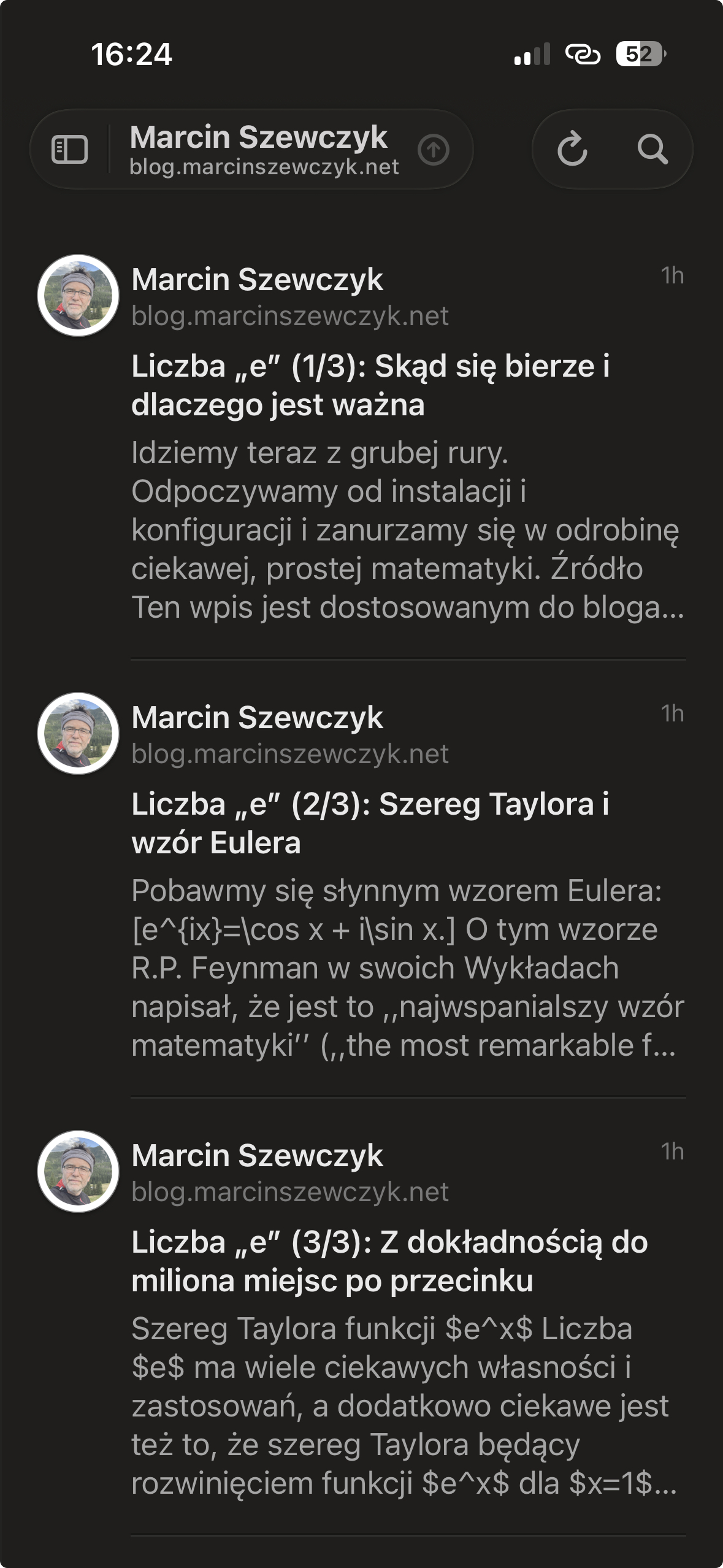 Fig. 2. Blog RSS feed view in iPhone reader.
Summary
I add it. It works. Done.